Testing Action1's Patch Management Solution
This week I dived into testing some endpoint automation tools. These can be invaluable tools that SMBs can use reduce their endpoint risks and start to get a grasp on their fleet of servers, workstations, and all installed software. In simple terms, you install a lightweight agent on each of your endpoints that then reports back to Action1’s cloud dashboard. In this dashboard, you can schedule and push out OS updates, third-party application patches, run reports of vulnerabilities, and set up alerts on high-risk devices. Some of these tools even have the capability to do screensharing for help-desk sessions. All of the ones I am testing have at least some component of self-hosting, and all or some of the features mentioned above. For my first test, I am using Action1. Action1 touts itself as a replacement for WSUS and a great tool for “work-from-anywhere workplaces with no VPN”. They are SOC 2 Type II certified and highlight some large customers like ebay, Coca-Cola, and Nestle. Their co-founder, Mike Walters, is also the co-founder of the data-security tool Netwrix.
Sign-up and Setup
Action1 has a pretty generous free tier; you can manage up to 200 endpoints for free. Additionally, the sign up process, downloads and documentation are free and open, no sales demos or calls needed. Check out the full details of the free tier here: https://www.action1.com/free-edition/
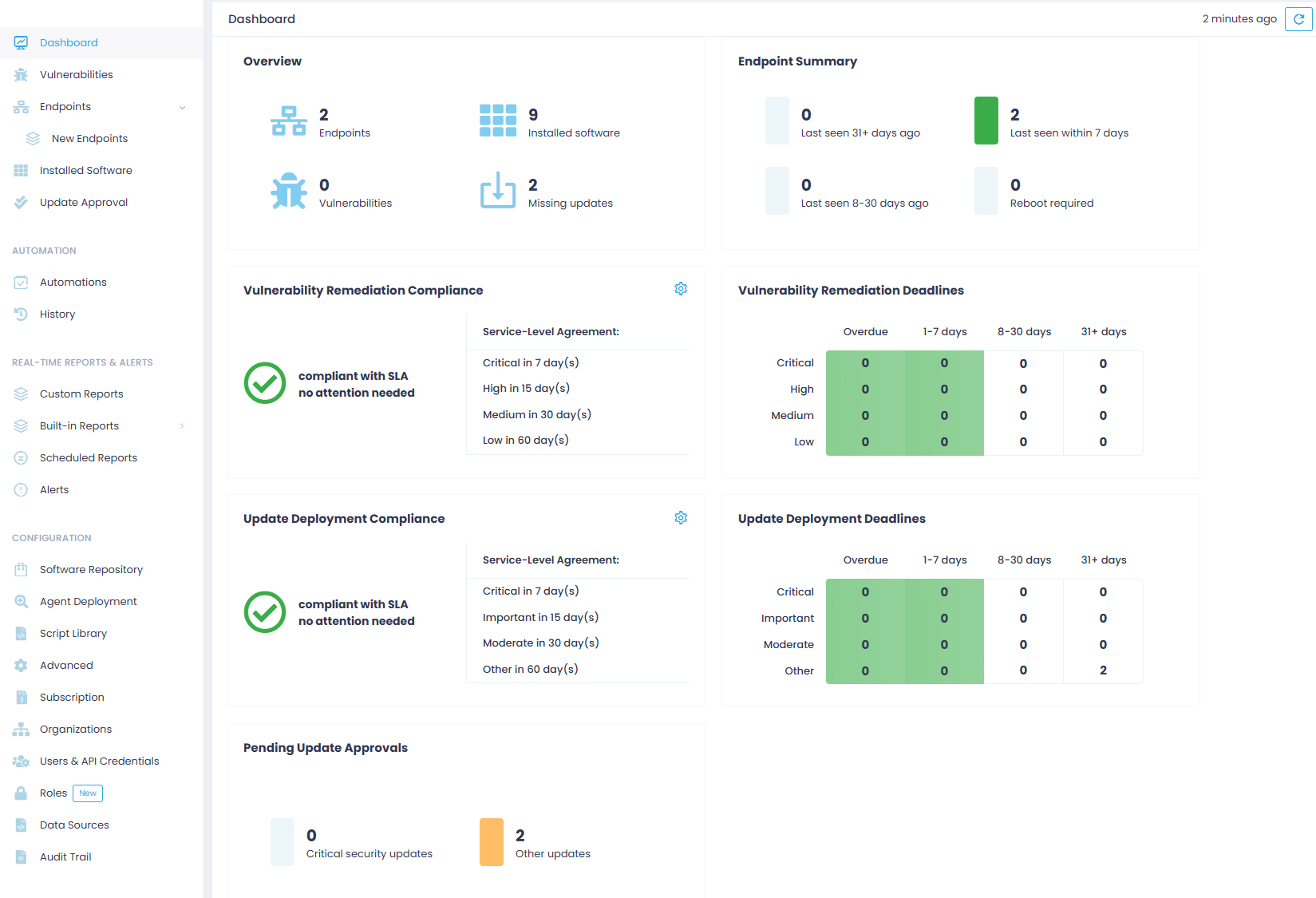
After creating an account, you are brought to an empty dashboard. Simply download and install the relevant agent for your OS (Windows or MacOS) and you will start seeing your dashboard populate with data. Note that Linux support is on their roadmap and coming soon. I have to say, it is quite a nice layout:
Automating Agent Deployment
For SMBs, you won’t want to be manuallly installing the Action1 agent on all your endpoints. Instead, you will want to use Action1 Deployer. The requirements for the deployer are pretty basic, check them out here: https://www.action1.com/documentation/action1-deployer-recommended/. You will also need to set up a service account that will have admin permissions on the endpoints you plan on managing. This service account needs:
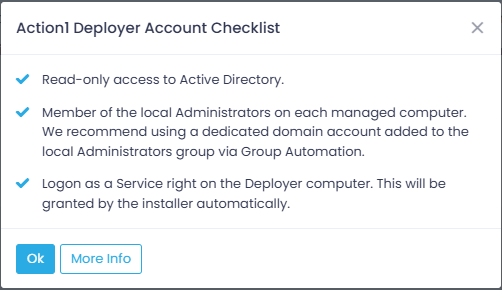
As recommended, I created a service account specific to Action1. I then added that service account to the AD group that I have added as an administrator on all workstations.
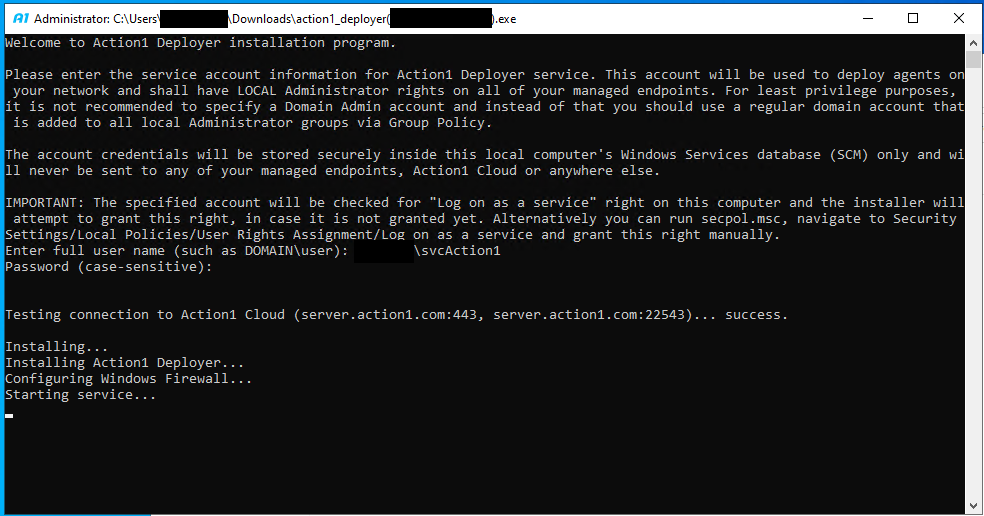
To run the deployer, I spun up a Server 2022 VM and launched the Action1 Deployer installer. After installation, the deployer launches a cmd window and prompts for your service account and its credentials. This is where I ran into my first issue. For the life of me, I could not get it to accept the service account’s password. After trying everything I could think of, I ran across a Reddit post of someone with the same issue. Apparently, it has to do with some password characters? Well, a reset of my service accounts password to…something else…fixed the issue, and I was on to the next speed bump. And that was that the Action1 service would not start. This one I didn’t need Reddit for; it was because my service account didn’t have permissions to start the service on my Deployer server. Maybe Action1 assumes that you will give it administrative permissions, or maybe I completely missed that requirement (I still can’t find it), but adding the account as an admin on the server fixed the issue.
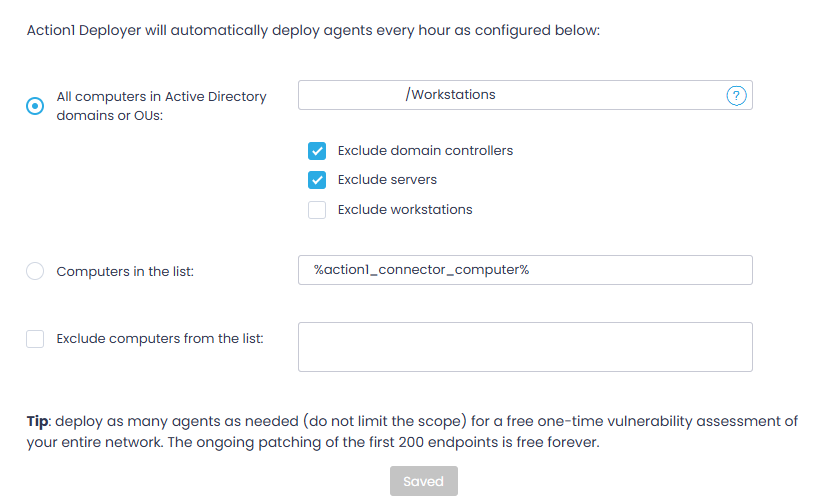
Now that the Deployer service is humming along, back in the Action1 console it is connected and ready for configuration. This configuration is pretty basic; what do you want it to push the agent to? Add in your OUs and exlude/include anything you want:
Push some Updates
Now that the agent is installed on some workstations, I pushed a simple Microsoft Edge update to test:
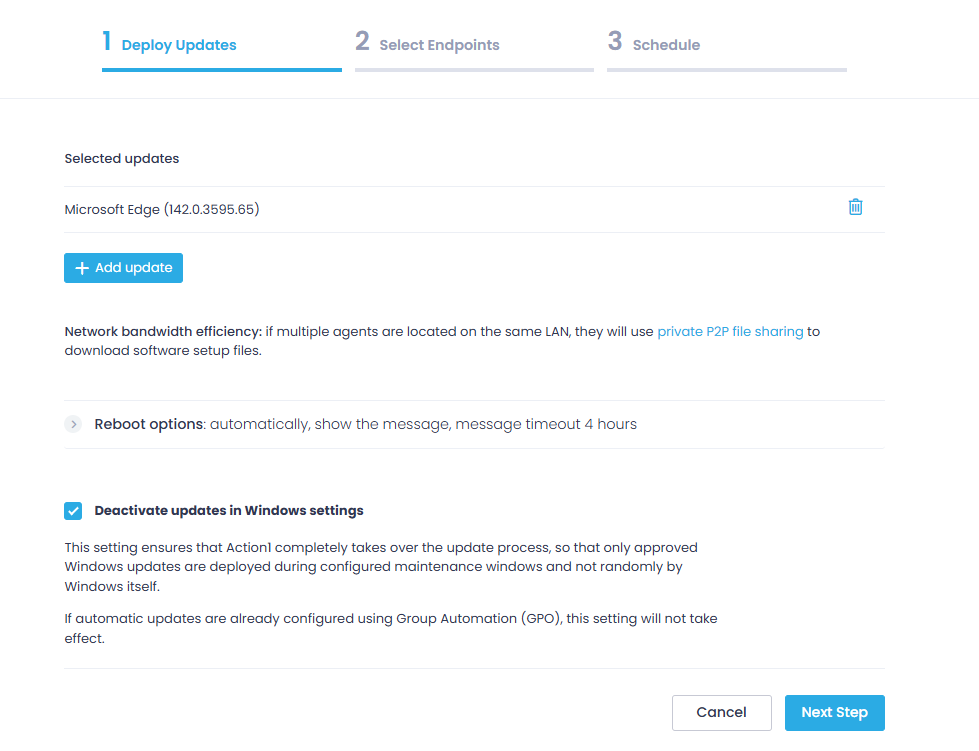
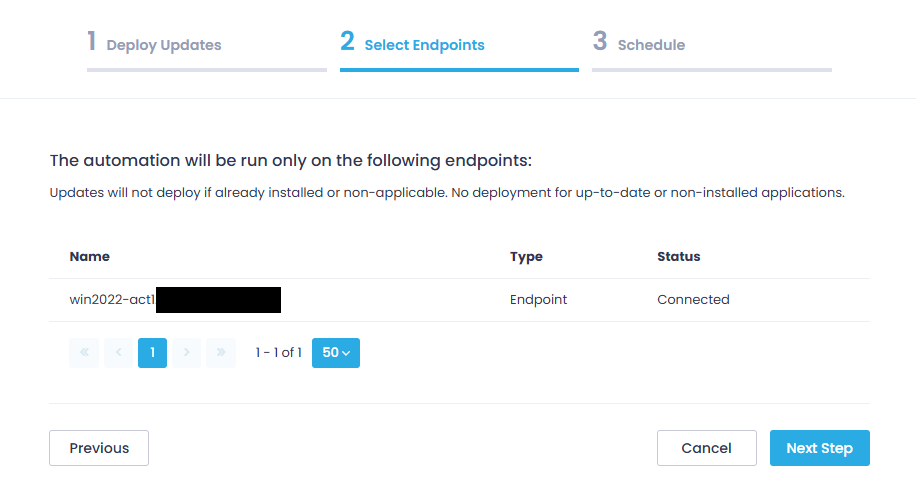
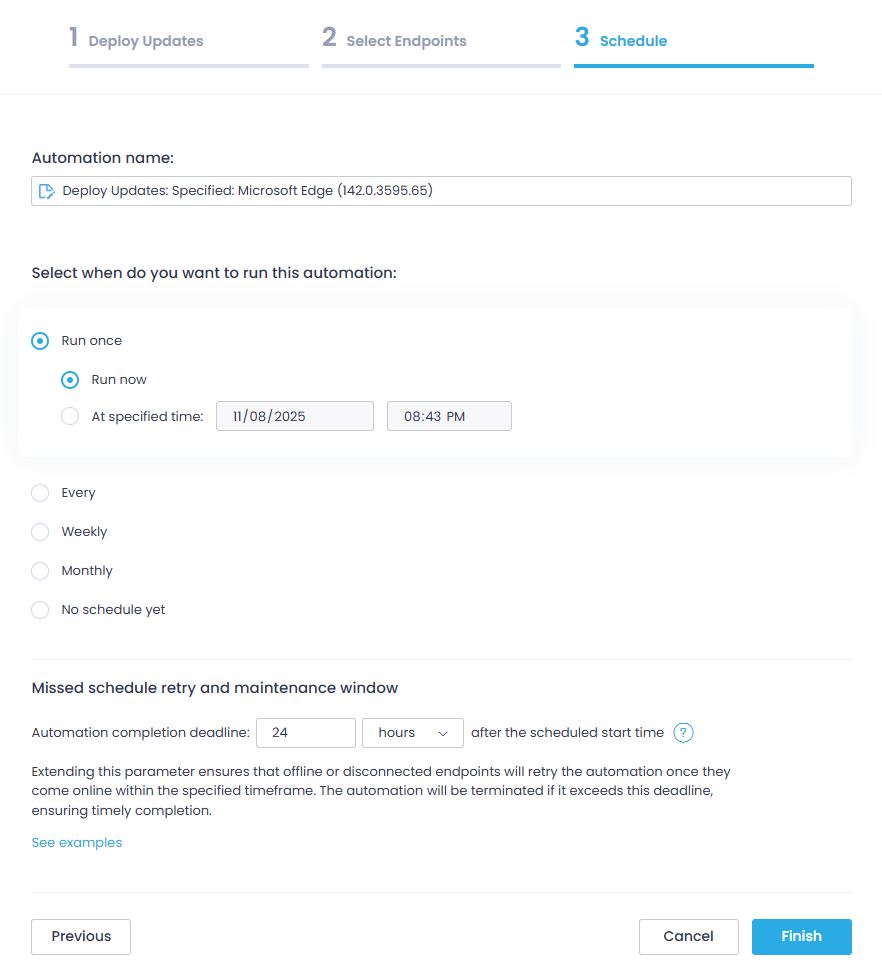
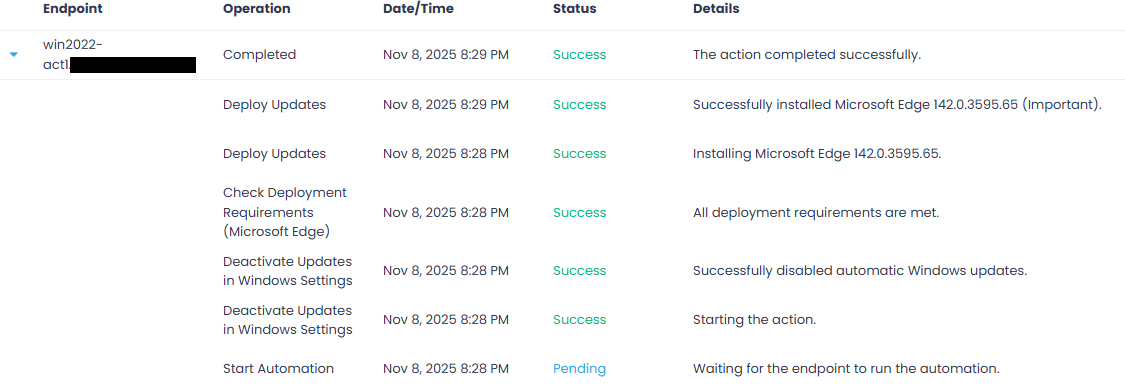
Super simple. Select the update, set who gets it, schedule it, and watch it go. All in, it took about 10 mins for the update to hit the workstation and start installing.
Push Some Apps
Now let’s push a third-party application out. Here I am installing 7-Zip on a Windows 11 workstation:
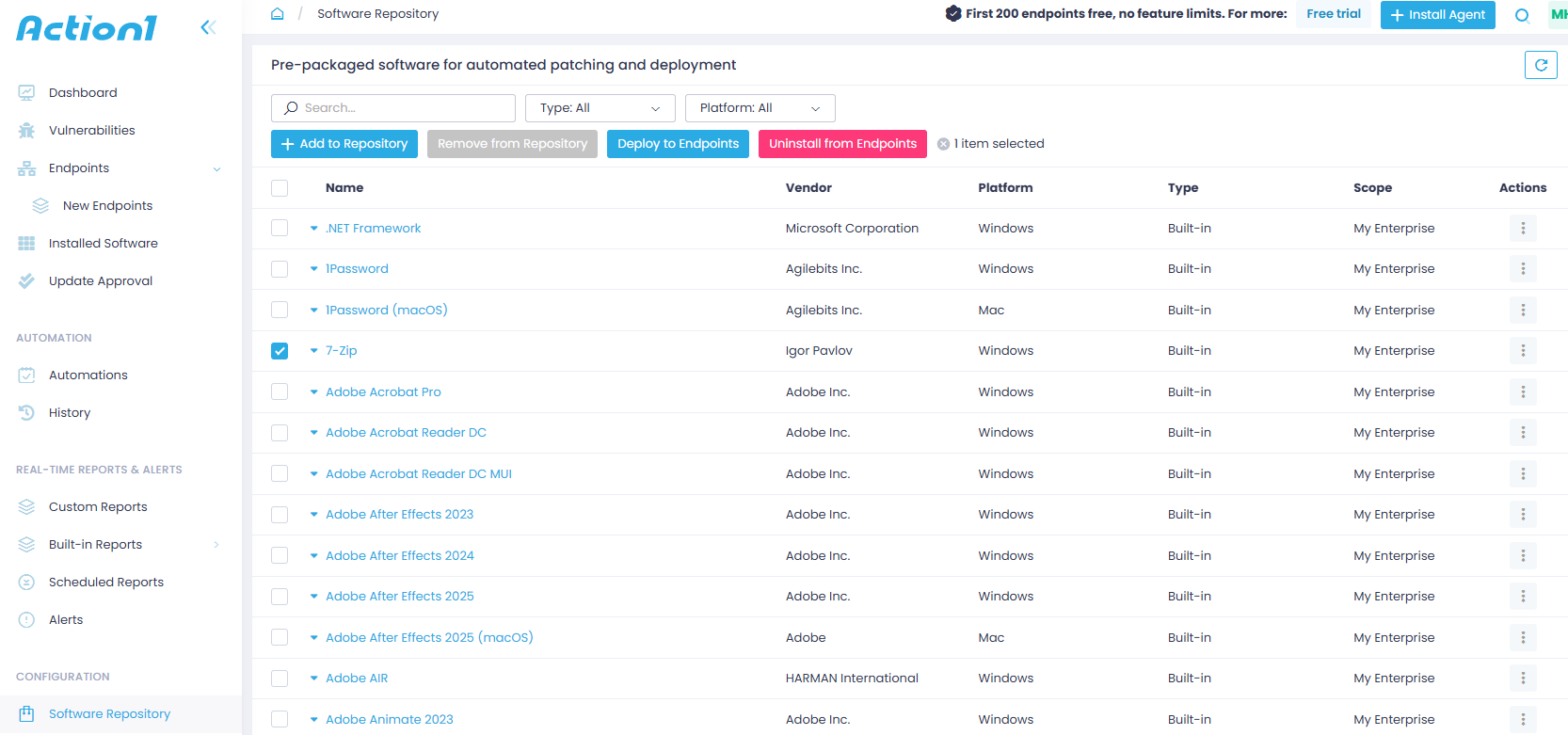
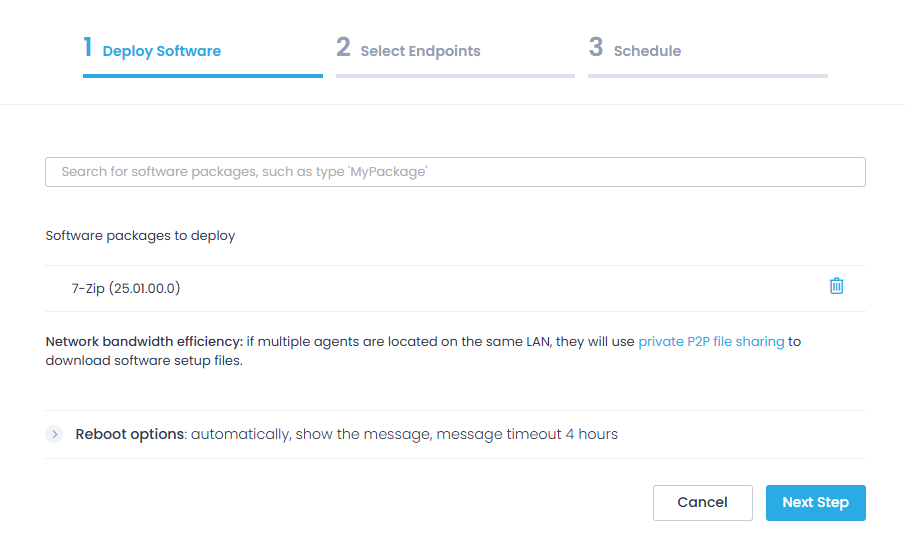
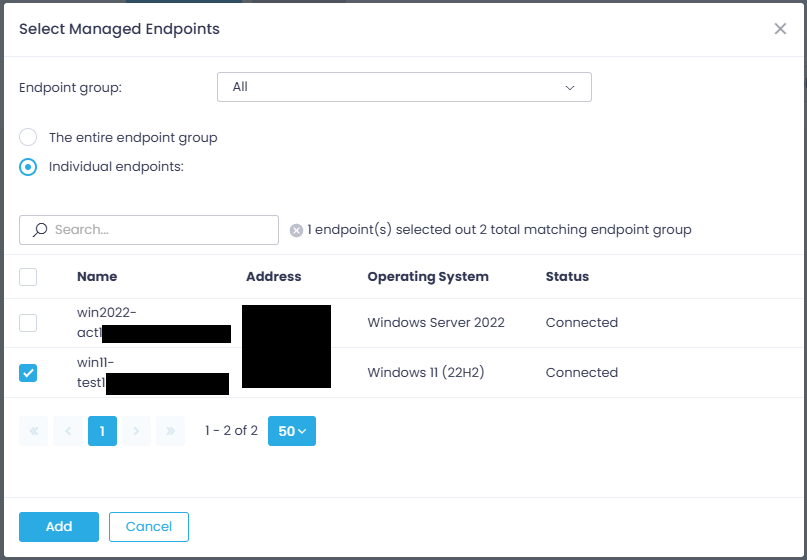
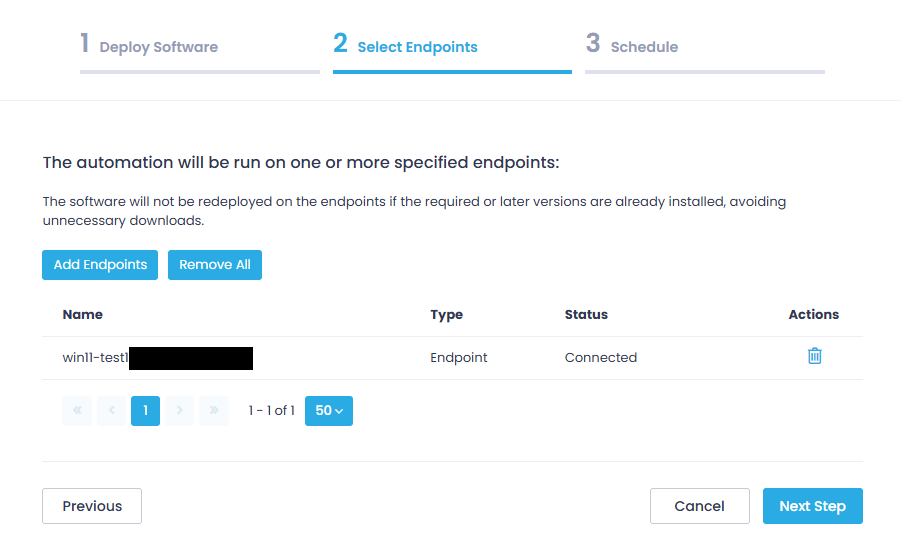
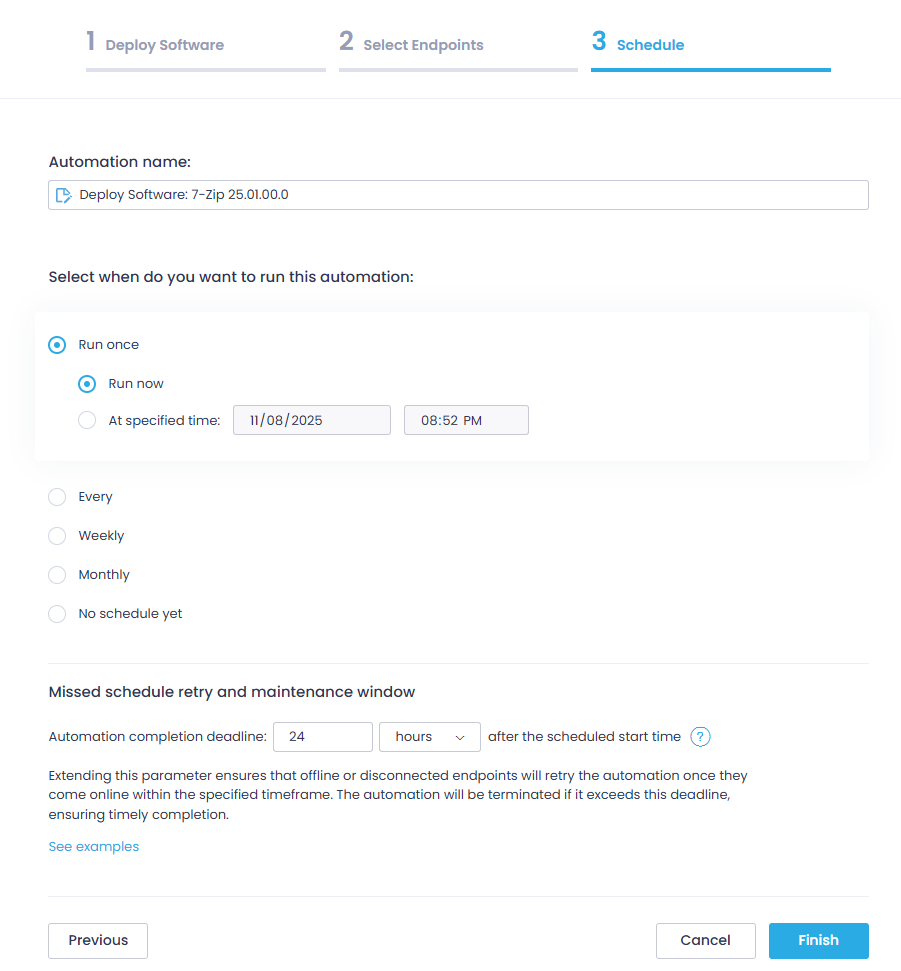
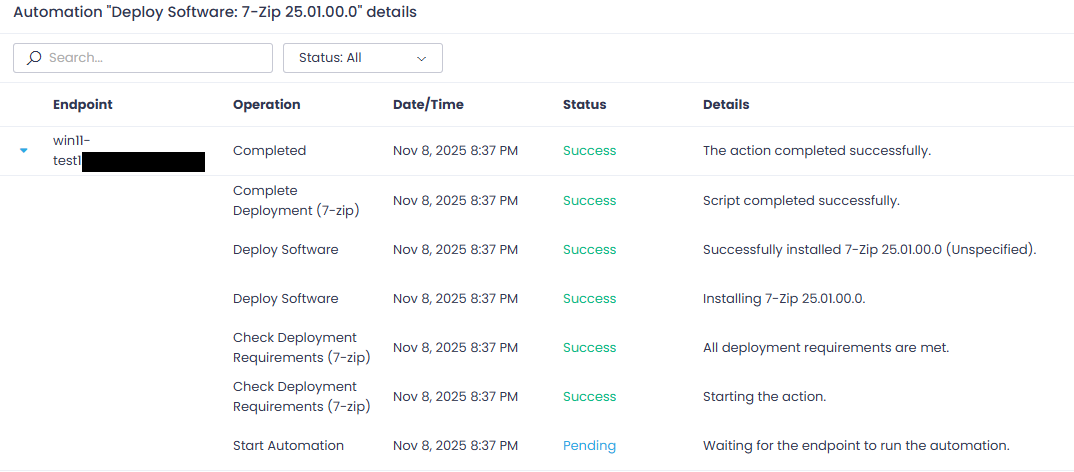
Just like with the Edge update, the third-party app push was simple and quick.
Wrap-up
In just a few hours I was able to set up Action1 and its automated agent deployment tool. I really like the modern user interface of Action1’s dashboard. It seems to have plenty of items in its toolbox and some decent reporting capabilities. I also like the option of using the Action1 deployer to ensure that any newly added domain devices will get the agent installed. This could be a really great add for SMBs who don’t want to dive into another MDM tool’s licensing cost (Intune, JAMF, etc).